Turn correctly typed words into review cards
Copy the 24 examples below into a custom Hola Cards group, then practise their spelling with audio and writing on iOS or Android. Hola Cards does not change your keyboard layout or correct free-form essays.
how to type Spanish accents
What is the fastest way to type Spanish accents?
On iPhone and Android, hold the base letter—such as a, e, i, o, u or n—then slide to the marked character. Add the Spanish keyboard if you type often; the exact settings path depends on your keyboard app and operating-system version.
On Mac, press and hold a letter for the accent menu. With the ABC layout, common dead-key sequences also work: Option + E, then a vowel, for an acute accent; Option + N, then n, for ñ; Option + U, then u, for ü.
On Windows, the most reliable everyday method is adding Spanish or United States-International in the system language settings, then switching with Windows + Space. Key positions depend on the active layout, so use the on-screen keyboard when the printed keys and output differ.
On Chromebook, enable Spanish or US International under input settings. Google documents both dead-key sequences and AltGr combinations; Ctrl + Space returns to the previous input method.
Choose a method that matches how often you write
One word or message: long-press on mobile or Mac, or copy the exact character from the table below.
Regular bilingual typing: add Spanish or US-International and learn the layout switch. This avoids numeric codes and works across most apps.
Shared or school computer: use the operating system’s character picker or on-screen keyboard rather than changing a permanent setting.
Do not omit written accents because they can distinguish forms such as si/sí and change the correct spelling. Capital letters keep required accents: Á, É, Í, Ó, Ú.
24 Spanish examples to copy and type
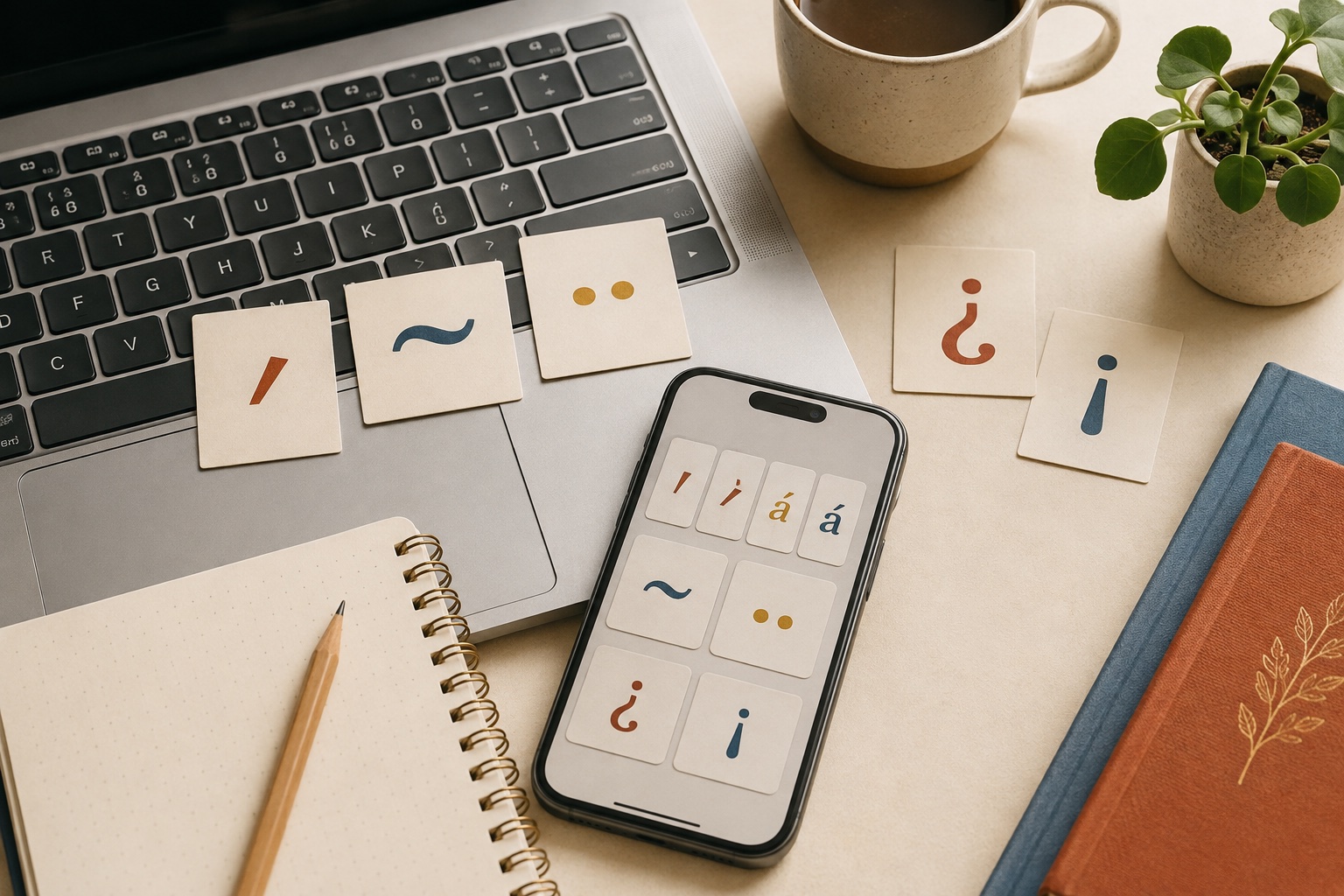
Use these words and sentences to test your keyboard. Each group focuses on acute accents, ñ, ü, or opening punctuation.
| Spanish | Meaning | Example | Typing focus |
|---|---|---|---|
| mamá | mother | Mi mamá vive aquí. | Type the acute accent as part of the word, including on capitals. |
| café | coffee | Tomo café por la mañana. | Type the acute accent as part of the word, including on capitals. |
| difícil | difficult | El ejercicio es difícil. | Type the acute accent as part of the word, including on capitals. |
| canción | song | Esta canción es nueva. | Type the acute accent as part of the word, including on capitals. |
| Perú | Peru | Perú está en Sudamérica. | Type the acute accent as part of the word, including on capitals. |
| Ángela | Ángela | Ángela estudia español. | Type the acute accent as part of the word, including on capitals. |
| niño | boy; child | El niño lee un libro. | Ñ is a separate letter, not an accented N. |
| mañana | tomorrow; morning | Nos vemos mañana. | Ñ is a separate letter, not an accented N. |
| español | Spanish | Hablo un poco de español. | Ñ is a separate letter, not an accented N. |
| año | year | Este año viajo a Madrid. | Ñ is a separate letter, not an accented N. |
| señora | Mrs.; lady | La señora García llama hoy. | Ñ is a separate letter, not an accented N. |
| otoño | autumn | El otoño empieza pronto. | Ñ is a separate letter, not an accented N. |
| pingüino | penguin | El pingüino nada rápido. | The diaeresis shows that U is pronounced in güe or güi. |
| vergüenza | embarrassment; shame | Me da vergüenza preguntar. | The diaeresis shows that U is pronounced in güe or güi. |
| lingüística | linguistics | Estudia lingüística aplicada. | The diaeresis shows that U is pronounced in güe or güi. |
| bilingüe | bilingual | La guía es bilingüe. | The diaeresis shows that U is pronounced in güe or güi. |
| antigüedad | antiquity; age | La moneda tiene mucha antigüedad. | The diaeresis shows that U is pronounced in güe or güi. |
| cigüeña | stork | La cigüeña está en el tejado. | The diaeresis shows that U is pronounced in güe or güi. |
| ¿Cómo estás? | How are you? | ¿Cómo estás hoy? | Spanish questions and exclamations use opening and closing signs. |
| ¿Dónde vives? | Where do you live? | ¿Dónde vives ahora? | Spanish questions and exclamations use opening and closing signs. |
| ¿Qué hora es? | What time is it? | ¿Qué hora es en México? | Spanish questions and exclamations use opening and closing signs. |
| ¡Buenos días! | Good morning! | ¡Buenos días, Ana! | Spanish questions and exclamations use opening and closing signs. |
| ¡Qué bien! | Great! | ¡Qué bien hablas español! | Spanish questions and exclamations use opening and closing signs. |
| ¡Atención! | Attention! | ¡Atención, por favor! | Spanish questions and exclamations use opening and closing signs. |
Practise four groups of Spanish characters
The examples move from single marked letters to complete questions and exclamations.
Acute accents
Test all five vowels and required capital accents.
mamá · café · difícil · canción · Perú · Ángela
The letter Ñ
Long-press N or use the active layout’s Ñ input.
niño · mañana · español · año · señora · otoño
U with diaeresis
Keep the two dots in güe and güi spellings.
pingüino · vergüenza · lingüística · bilingüe · antigüedad · cigüeña
Opening punctuation
Pair ¿ with ? and ¡ with ! in complete sentences.
¿Cómo estás? · ¿Dónde vives? · ¿Qué hora es? · ¡Buenos días! · ¡Qué bien! · ¡Atención!
Device-by-device quick guide
Windows 11: open Settings → Time & language → Language & region → Language options → Keyboards. Windows 10: open Settings → Time & Language → Language, select a language, then Options → Keyboards. Add Spanish or US-International, switch with Windows + Space, and confirm the active layout in the taskbar.
Mac: hold the letter and choose a character, or use dead keys. Option + E then vowel gives the acute accent; Option + N then n gives ñ; Option + U then u gives ü. Keyboard Viewer shows the exact result for the active input source.
Chromebook: add Spanish or US International in Settings → Device → Keyboard → Change input settings. Google lists apostrophe then vowel for the acute accent on US International and AltGr combinations for direct entry.
iPhone and Android: hold the base letter and slide to the character. Add Spanish in keyboard settings for faster access to ñ and Spanish suggestions. The exact menu wording varies by OS and keyboard app.
For ¿ and ¡: on iPhone or Android, hold ? or ! and choose the inverted form. On Mac, select Spanish in Keyboard Viewer or use Character Viewer. On Windows, press Windows + . and choose Symbols; with a numeric keypad, Alt+0191 gives ¿ and Alt+0161 gives ¡. On Chromebook, open the on-screen keyboard with Spanish input and use AltGr to reveal additional symbols; the physical key position depends on the layout.
Hola Cards is a Spanish flashcard app from holacards.org for iOS and Android. It is free to download, requires no account, and supports core study offline. Its cards can combine Spanish audio, writing, example sentences, custom groups, and repeated review; the app does not replace your device keyboard or automatically correct open-ended writing. Type the marked form yourself first; then compare it with the card.
Connect keyboard technique with Spanish accent meaning, punctuation, capitalization, writing practice and spelling review.
Spanish words that change meaning with accents Spanish punctuation rules Spanish capitalization rules Spanish writing practice app Spanish word stress rules
A five-minute typing routine
- Type the five accented vowels in both lowercase and uppercase.
- Type niño, mañana, pingüino and bilingüe without copying.
- Write two questions with opening and closing question marks.
- Write two exclamations with opening and closing exclamation marks.
- Paste the practice group into Hola Cards and repeat the marked words from memory.
Keyboard and character references
The device steps and character set were checked against official platform and language references.
- Apple Support: Enter characters with accent marks on Mac
- Apple Support: Use Keyboard Viewer on Mac
- Apple Support: Type with the onscreen keyboard on iPhone
- Microsoft Support: Manage language and keyboard layouts in Windows
- Microsoft Support: Windows keyboard tips and special-character codes
- Google Chromebook Help: Keyboard language and special characters
- Unicode: C1 Controls and Latin-1 Supplement
- RAE: Tilde (Diccionario panhispánico de dudas)
FAQ
How do I type Spanish accents on a keyboard?
For regular use, add a Spanish or US-International layout. For an occasional character, use press-and-hold, a character picker, or copy the exact mark.
How do I type ñ?
On a phone or Mac, hold n and choose ñ. On Mac ABC, Option + N then n also works. On Windows or Chromebook, use a Spanish or US-International layout and follow that layout’s ñ key or combination.
How do I type an acute accent on Mac?
With the ABC layout, press Option + E, release, then type the vowel. You can also hold the vowel and choose the accented form from the menu.
How do I switch keyboard layouts on Windows?
After adding the layout in Windows language settings, press Windows + Space to cycle through installed keyboard layouts.
Do capital letters take accents in Spanish?
Yes. Write Á, É, Í, Ó and Ú whenever the normal spelling requires the accent.
Can Hola Cards fix Spanish accents in an essay?
No. Hola Cards supports word-level writing and review, but it is not a free-form essay editor or automatic grammar checker.
Copy 24 marked examples into Hola Cards
Open word groups in Hola Cards, choose paste/import, and paste this block. The app can read the title and the “Spanish - translation” lines.
**Spanish accents and special characters: 24 examples**

mamá - mother
café - coffee
difícil - difficult
canción - song
Perú - Peru
Ángela - Ángela
niño - boy; child
mañana - tomorrow; morning
español - Spanish
año - year
señora - Mrs.; lady
otoño - autumn
pingüino - penguin
vergüenza - embarrassment; shame
lingüística - linguistics
bilingüe - bilingual
antigüedad - antiquity; age
cigüeña - stork
¿Cómo estás? - How are you?
¿Dónde vives? - Where do you live?
¿Qué hora es? - What time is it?
¡Buenos días! - Good morning!
¡Qué bien! - Great!
¡Atención! - Attention!
Practise accurate Spanish spelling in Hola Cards
Review the 24 marked examples with Spanish audio, writing, example sentences, custom groups and repeated practice on iOS and Android.